Standard

Linux for Developer: Bash Command Line, Scripting, and Server Administrations

170 Lectures 34 Quizzes Beginner 8h 30m 2,000 Rs
Linux for Developer: Bash Command Line, Scripting, and Server Administrations

About this Course

Become comfortable and highly productive in Linux environments. Master the Bash command line, filesystem hierarchy, POSIX permissions, and process management. Learn to write powerful shell automation scripts, configure SSH authentication, manage software packages on Ubuntu/Debian, automate jobs with systemd and cron, and administer production cloud servers.

In this Course You'll Learn

Command Line Fluency & POSIX Filesystem Navigation

  • Shell Foundations: Navigate directory hierarchies, inspect file contents, and manipulate text efficiently with standard terminal tools.
  • Streams, Pipes & Redirection: Chain commands seamlessly using pipes (|), standard input, standard output, and stderr redirection.
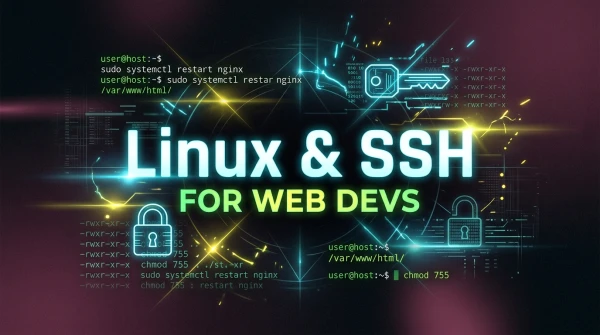
  • POSIX Ownership & Permissions: Manage read, write, and execute permissions (chmod), ownership (chown), and safe sudo privileges.
  • Text Processing Powerhouses: Search, filter, and extract complex data streams using grep, sed, awk, and regex patterns.

Shell Scripting, Process Management & Job Scheduling

  • Automated Bash Scripting: Write modular shell scripts featuring variables, conditional logic, loops, exit codes, and argument parsing.
  • Process Inspection & Control: Monitor system performance, track resource usage with top/htop, and manage background jobs with signals.
  • Automated Scheduling with Cron: Set up scheduled maintenance tasks, backup scripts, and periodic jobs using crontab configurations.
  • System Services with Systemd: Create custom systemd service units, inspect daemon journals (journalctl), and configure boot persistence.

Server Networking, Security Hardening & Remote Admin

  • Secure Remote Access with SSH: Configure SSH key authentication, eliminate password logins, and tunnel traffic via secure SSH connections.
  • Package Management: Install, update, and manage system packages and dependencies using apt on Debian and Ubuntu systems.
  • Network Troubleshooting: Diagnose connectivity, resolve DNS queries, and inspect socket listeners using curl, netstat, and ip.
  • Server Hardening Basics: Configure uncomplicated firewall (UFW) rules, manage non-root developer accounts, and review security logs.

Course Curriculum

Section 1: What Linux Is and Choosing a Distribution

  • What the Linux kernel is and what it does Free Preview
  • Common distributions such as Ubuntu, Debian, Fedora, and Arch in plain words Free Preview
  • Why most web servers and cloud machines run Linux Free Preview
  • Picking a distribution for learning and for servers Free Preview
  • Long term support versions and why they matter for servers Free Preview
  • Quiz 1: Checking what you learned about Linux and distributions Free Preview

Section 2: Setting Up Your Practice Environment

  • Installing WSL on Windows or using a virtual machine with VirtualBox Free Preview
  • Installing Ubuntu on a virtual machine step by step Free Preview
  • Using Multipass or Docker for a quick Linux shell Free Preview
  • Creating a cheap cloud server for practice Free Preview
  • Taking a snapshot before you try something risky Free Preview
  • Quiz 2: Checking what you learned about setting up your practice environment Free Preview

Section 3: The Terminal and Shell Basics

  • Opening a terminal and reading the prompt
  • What bash and zsh are and how they differ
  • Running a command and reading its output
  • Using the Tab key and history with the up arrow
  • Getting help with man pages, --help, and tldr
  • Quiz 3: Checking what you learned about the terminal and shell

Section 4: Moving Around the File System

  • The root folder and the main folders such as /home, /etc, and /var
  • Moving between folders with cd and checking where you are with pwd
  • Listing files with ls and reading its long format
  • Absolute paths versus relative paths
  • Special folders such as the home shortcut and the dot and double dot
  • Quiz 4: Checking what you learned about moving around the file system

Section 5: Creating, Copying, Moving, and Deleting Files

  • Creating folders with mkdir and the -p option
  • Creating empty files with touch and writing them with an editor
  • Copying files and folders with cp and -r
  • Moving and renaming with mv
  • Deleting with rm and why rm -rf must be used with great care
  • Quiz 5: Checking what you learned about files and folders